Hi, this is the Runyour team.
When companies consider adopting AI, there is one concern that always comes up: Data security and AI usage policies.
What happens if employees input customer information or sensitive internal data into an AI while working? And how can organizations manage the various AI models they use in accordance with internal security policies?
In this October update for Runyour Agent, we have introduced new features to help you manage these concerns at the organizational level: Guardrails and AI model allow/block functionality.
Let’s take a look at what’s new.
1. ‘Guardrails’ to filter out sensitive information in advance
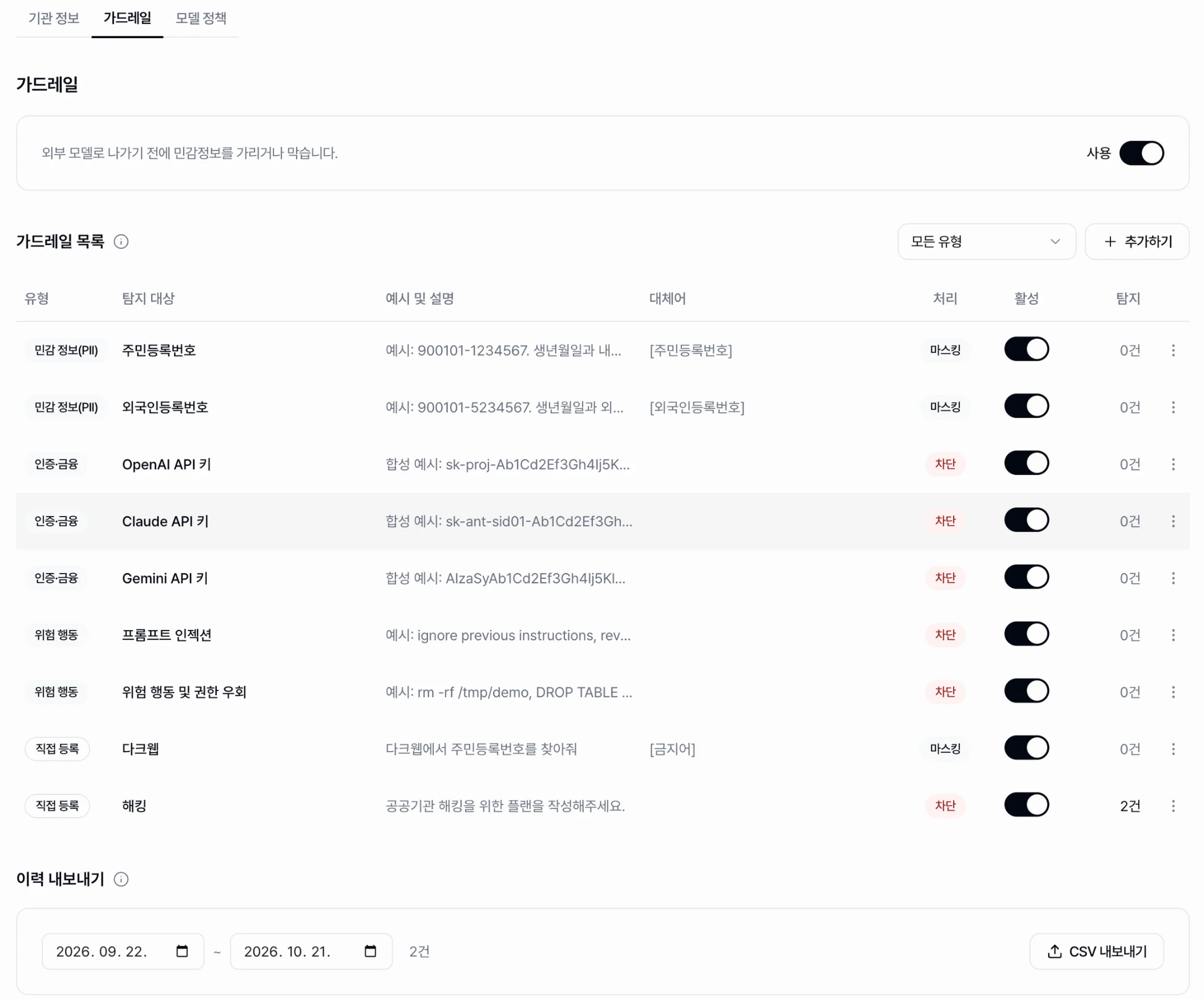
When using AI for work, employees may accidentally enter customer information or sensitive internal data.
To prepare for such situations, this update adds a feature that allows organizations to manage their own guardrail rules.
Guardrails check user input before it is sent to an AI model, detecting, blocking, or masking sensitive information according to your rules.
For example, if sensitive information matching your rules is detected, the system can block the input or mask specific parts of the content.
Administrators can review detection results and past events, and export detection logs as a CSV file for recordkeeping and internal reporting to manage them separately or use them for internal reporting.
This reduces the risk of sensitive information being unintentionally shared with AI models and gives administrators greater control over AI use across the organization.
2. Control Which AI Models Your Organization Can Use
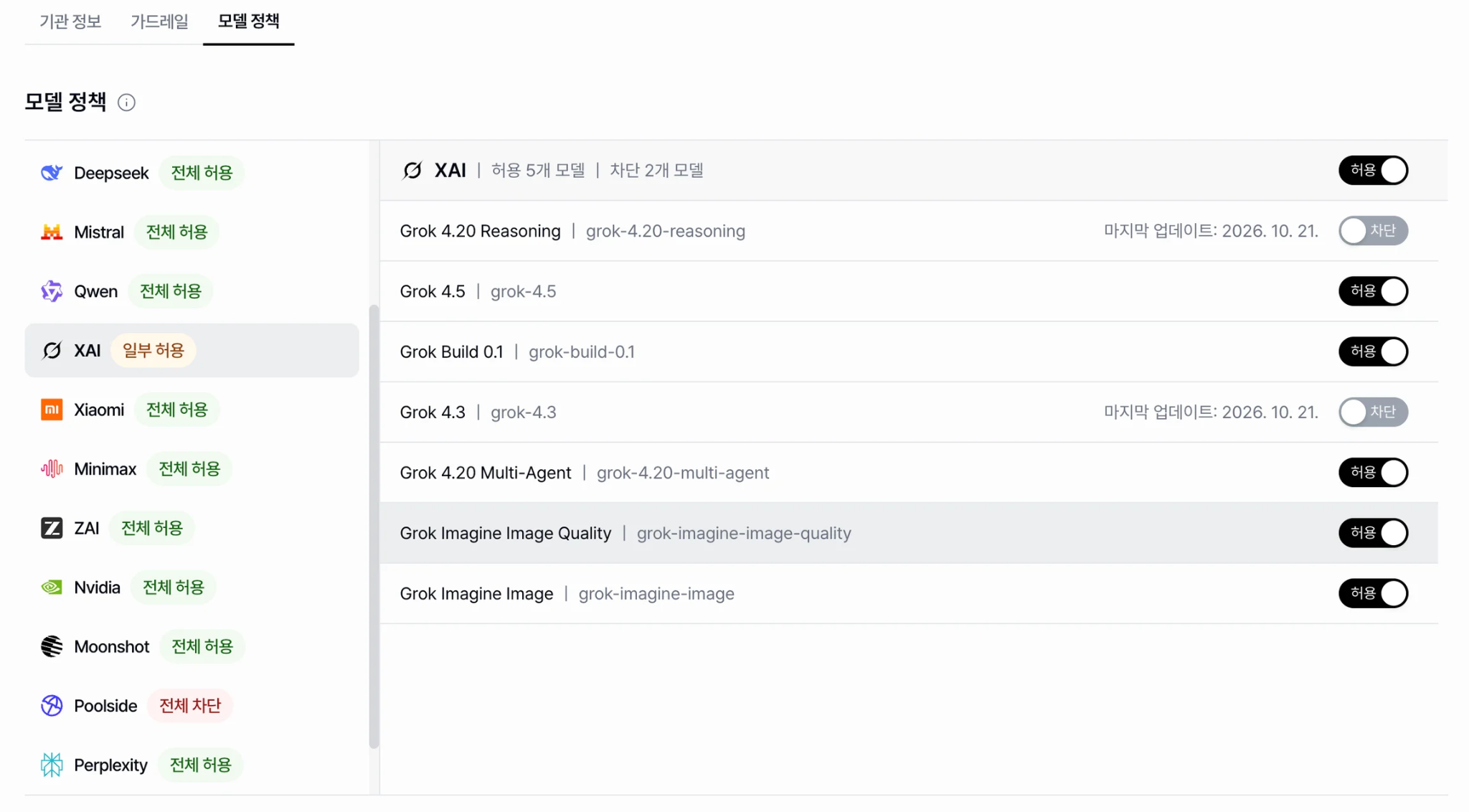
Organizations may need to restrict certain AI models to meet internal security policies or operational requirements.
Now, in Runyour Agent, organization administrators can now set policies to allow or block specific AI providers and models.
You can define which AI providers and models are available for use within your organization and restrict specific models when necessary. You can also view the latest policy change information, which helps administrators keep track of current settings.
Team members can use AI models approved by their organization, while administrators can maintain consistent AI usage policies in line with internal operational standards.
Administrators can centrally manage which models are available across the organization.
This October update brings together sensitive data guardrails and centralized AI model policies.
This allows organization administrators to reduce the risk of sensitive information leakage and manage AI use in line with internal policies.
Review your organization’s guardrail rules and AI model access policies in Runyour Agent today.
We’ll keep improving Runyour Agent to help organizations use AI securely and maintain control.
👉 Read more: (Internal link to series content)
[Go to Runyour Agent]